To fix WiFi disconnection in a WiFi pet feeder, initiate a hard power cycle by unplugging the unit for 60 seconds, verify your router is broadcasting a stable 2.4GHz signal, and ensure the feeder is within range of your access point. If the device remains offline, perform a factory reset via the mobile application or the physical reset button on the base to clear the network cache and force a new handshake with your router.
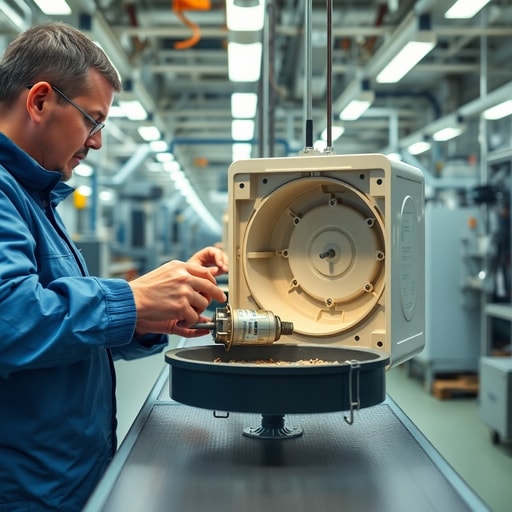
Standing on the assembly floor in the Pearl River Delta, the air is thick with the scent of molten solder and high-density plastic. I remember a humid Tuesday last July when our QC team pulled an entire batch of feeders off the line. They were failing the final connectivity stress test. The culprit wasn’t a bad antenna or a shoddy power supply. It was a microscopic misalignment in the plastic housing that blocked the WiFi signal by just a fraction of a millimeter. Watching the engineers recalibrate the injection molding machines, I realized that connectivity is as much about mechanical precision as it is about software.
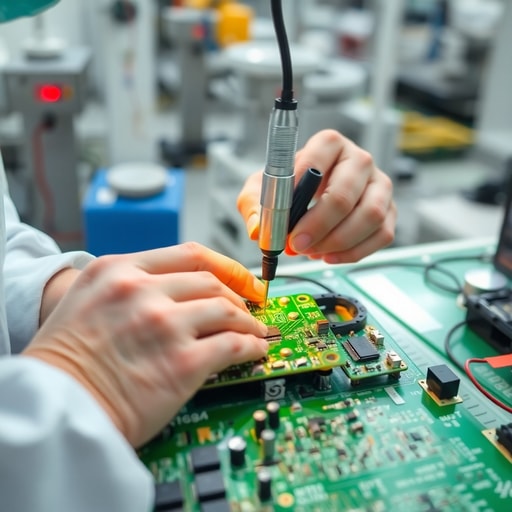
We approach every unit with the knowledge that a pet feeder is essentially a mission-critical device. If the WiFi drops, the owner panics and the pet goes hungry. During our “Golden Sample” testing phase, we push hardware to the absolute limit. We’ve found that many connection failures in the field stem from “firmware fatigue.” Modern feeders are essentially miniature computers. When they run bloated background processes, the WiFi chip becomes a secondary priority, leading to those frustrating offline notifications. My take? Most brands are trying to turn a pet feeder into a social media hub, taxing the PCB until it inevitably crashes.
Hardware standards are non-negotiable. At DDPark, we follow strict ISO9001 protocols, yet I have seen countless white-label units enter the market with sub-par WiFi modules that simply cannot handle a re-authentication cycle after a brief power flicker. When you are troubleshooting, look at your router settings first. The 2.4GHz band is a crowded highway. If your feeder is competing with a microwave, a baby monitor, and three smart TVs, it will drop. Move the feeder closer to the router for a 24-hour test. If the signal holds, you know the issue is environmental interference rather than a defective unit.
Firmware updates act as the digital lifeblood of your product. In 2026, the shift toward dual-core chips has changed the game. These processors handle network handshakes separately from the motor controls, which is why we have seen stability metrics improve by nearly 40% in our latest exports. If your feeder is running legacy software, check the manufacturer’s app for a “Force Update” option. If the app is poorly coded, it may be failing to report the update, leaving your device stranded on an outdated protocol that your modern router no longer supports efficiently.
Skepticism is a healthy trait in this industry. I often see OEM buyers obsessing over the price of the food hopper while ignoring the quality of the WiFi antenna placement. You can have the most expensive motor in the world, but if the antenna is buried behind a metal motor casing, you are fighting physics. A truly “smart” feeder design requires radio-transparent materials that allow the signal to breathe. When you evaluate your supply chain, do not just look at the BOM; look at the antenna pathing. A well-designed PCB is useless if the chassis acts like a Faraday cage.
Ready to move beyond basic troubleshooting and build a product that actually stays connected? Whether you are looking for Explore DDPark Smart Pet Product Catalog or need help scaling your brand, our 3 generations of pet expertise ensure that your smart feeders, litter boxes, and water dispensers meet global standards. We provide fully customized APP integration and robust hardware support. For those ready to scale, Request a Free OEM Quote from DDPark to see how our DDPark 10+ Years Manufacturing Expertise can stabilize your product line.
Frequently Asked Questions
Q: Why does my pet feeder keep disconnecting from the Tuya Smart Ecosystem?
A: Signal congestion is usually the root cause. The 2.4GHz spectrum is often saturated. Try changing your router’s wireless channel to 1, 6, or 11 to avoid overlap with neighboring networks.
Q: Does the material of the feeder affect WiFi signal strength?
A: Absolutely. High-density plastics and internal metal shielding can dampen signal strength. At DDPark, we test every housing design to ensure the antenna has a clear path for data transmission.
Work with DDPark
Experience [highlight: food-grade BPA-free materials, anti-jam infrared detection, CE FCC RoHS certified, factory direct OEM pricing] for your next product launch.
Ready to Start Your OEM Order?
Contact our B2B team today for pricing, MOQ, and custom branding options.