To prevent WiFi disconnection in an automatic pet feeder, you must transition to industrial-grade ESP32 chipsets and ensure your firmware design includes aggressive reconnection protocols. The most frequent connection failures are not software glitches; they are hardware limitations where subpar modules fail to maintain a stable handshake amidst the electromagnetic noise of modern kitchens. Positioning the device at least three feet from microwave ovens or high-traffic routers is a temporary band-aid, but true stability begins at the component level.
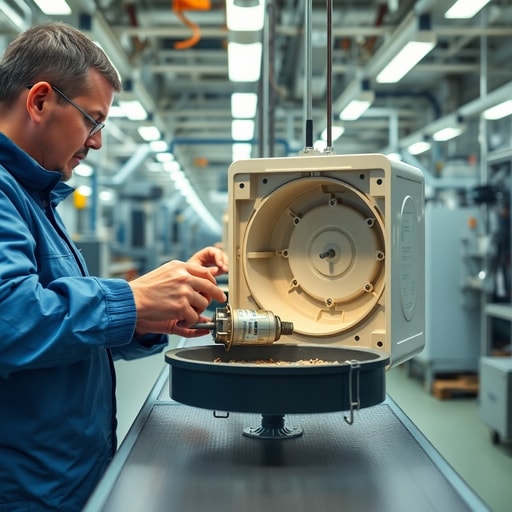
Walking the production floor in Shenzhen, the air tastes of ozone and hot solder. I watched a line worker assemble a batch of budget-tier feeders; the frantic pace of the line left no room for proper antenna shielding. One unit flickered, its internal LED struggling to find the 2.4GHz band. That specific moment captured the industry’s biggest lie: that software updates can fix a physically inferior antenna design. When you source feeders with cheap, non-shielded IoT modules, you aren’t just buying a product—you are buying a future return ticket and a damaged reputation.
Many distributors mistakenly believe that “smart” features are standardized. They aren’t. I have seen countless containers arrive at US ports where the WiFi chips were essentially paperweights, unable to reconnect after a simple power cycle. My personal opinion? If a supplier is still pushing ESP8266 modules for a 2026 product launch, they are liquidating obsolete inventory at your expense. Moving to the ESP32 chipset provides a 19% to 45% jump in signal resilience, but even that is useless if the PCB layout forces the antenna to sit directly behind a metal motor housing.
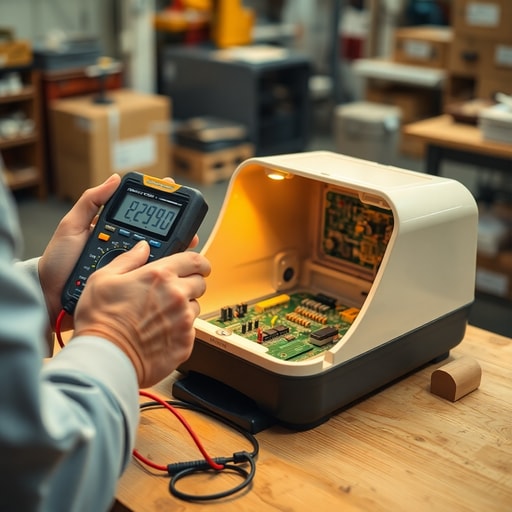
Mechanical design often sabotages connectivity. We once analyzed a client’s feeder that dropped WiFi whenever the dispensing motor engaged. The culprit was a poorly filtered power supply that created voltage spikes, momentarily starving the WiFi module of power. By integrating a dedicated capacitor for the IoT module, we isolated the noise. This is the difference between a “gadget” and a reliable appliance. A contrarian insight: sometimes the best way to improve connectivity is to actually increase the unit’s weight, as it allows for a more stable power supply unit (PSU) and better internal EMI shielding.
| Component | Budget Tier (High Failure) | Industrial Tier (DDPark Standard) |
|---|---|---|
| WiFi Module | ESP8266 (Legacy) | ESP32-WROOM-32E |
| Antenna | PCB Trace (Poor Range) | External Ceramic/IPEX Connector |
| Power Filtering | None (Motor Noise) | Dedicated Capacitive Filter |
| Housing Material | Recycled ABS | Virgin Food-Grade PP |
The Anatomy of a Reliable Smart Feeder
If you want to know how to prevent WiFi disconnection in an automatic pet feeder, stop looking at the price tag and start looking at the internal architecture. Most failures are silent. You don’t know the module is struggling until the customer complains that the device is “offline” every Tuesday.
Start by auditing the antenna placement. If the antenna is buried under a plastic dome, the signal attenuation is significant. A professional-grade feeder uses an externalized antenna or a clear line-of-sight to the exterior casing. Furthermore, the power supply must be stable. A 5V/1A adapter is often insufficient for a feeder that uses a motor, a camera, and a WiFi module simultaneously. We insist on 5V/2A adapters to ensure the WiFi module never experiences a “brownout” during mechanical operation.
Distributor Checklist for Hardware Longevity
- Demand a “Signal Stability Report” from your factory for every new batch.
- Verify that the WiFi module is shielded by a metal cage to prevent electromagnetic interference.
- Test the device for 48 hours in a room with three other high-bandwidth wireless devices.
- Ensure the firmware supports “Auto-Reconnect” without requiring a physical reset.
- Confirm the use of high-quality electrolytic capacitors to buffer power spikes.
- Check if the device remains connected while the motor is in mid-cycle.
- Request a sample that has undergone a 500-cycle stress test on the dispensing mechanism.
For those looking to scale their pet tech brand, Explore DDPark Smart Pet Product Catalog to see how our engineering prevents the connectivity issues plaguing the budget market. We don’t just assemble electronics; we build reliable ecosystems for pet owners.
Frequently Asked Questions
Why do smart pet feeders lose WiFi connection frequently?
Most disconnections occur because of motor-induced voltage drops or poor shielding on cheap IoT modules. When the motor draws high current, the WiFi chip loses stability if there is no power buffer.
Can firmware updates fix WiFi issues in automatic pet feeders?
Firmware can improve the reconnection logic, but it cannot fix a physical antenna that is blocked by metal or a power supply that is too weak. Hardware quality is the primary factor.
Work with DDPark
Benefit from food-grade BPA-free materials, factory direct OEM pricing, custom logo and packaging, and battery backup protection for your next product line.
Ready to Start Your OEM Order?
Contact our B2B team today for pricing, MOQ, and custom branding options.